Review
Checking the write-up against what was said, then sending it on.
Show transcript
- When the write-up is ready, the meeting shows under Ready to review on Home.
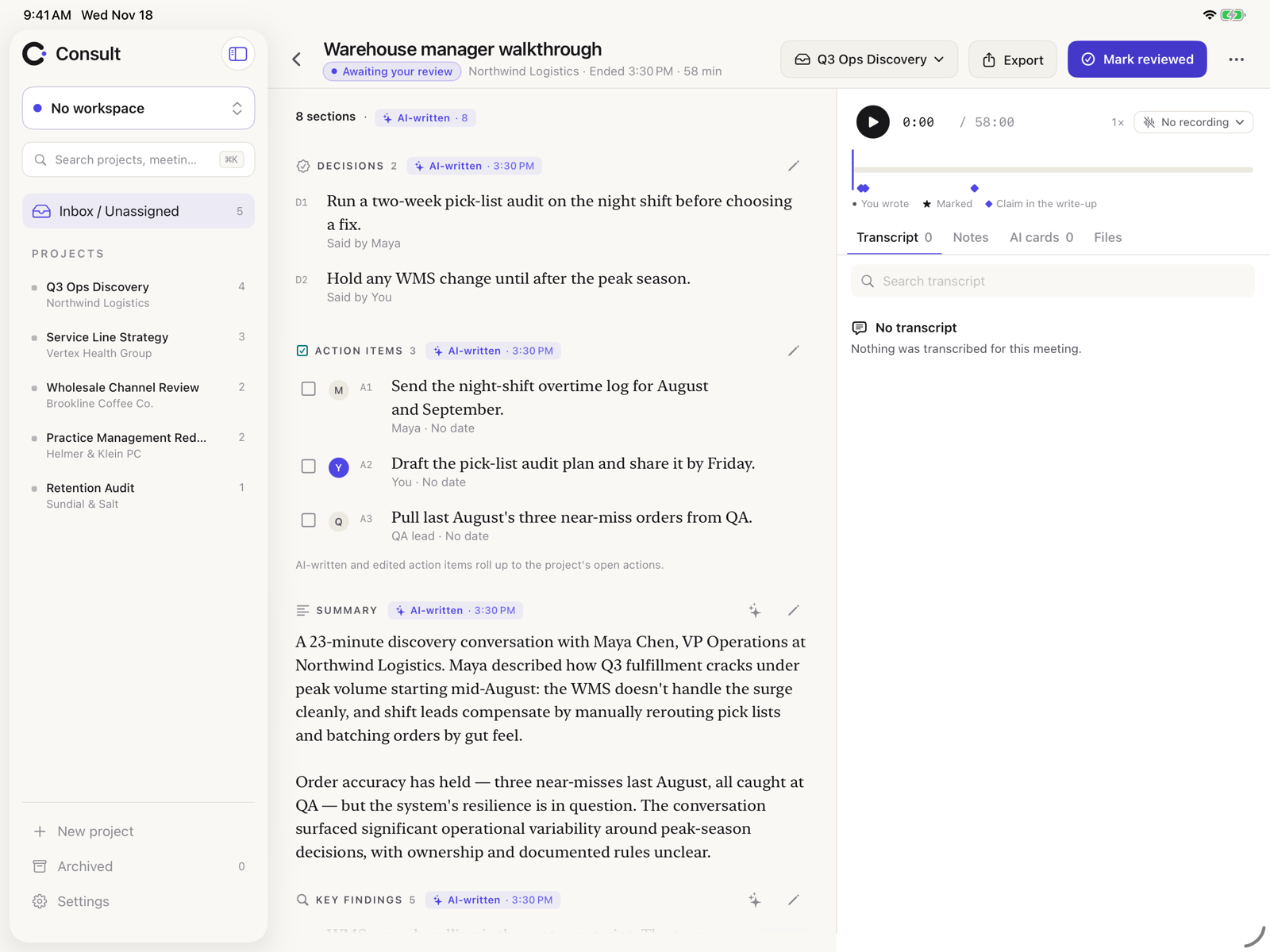
- Open it. The page is the write-up: decisions, action items with owners, the summary and more.
- Each section says whether the AI wrote it.
- Tap a time chip to hear that moment and see what was said.
- Search the transcript for a word or a name.
- Edit any section yourself. Your edits stay.
- Tap the project button to file it where it belongs.
- Then tap Mark reviewed. Action items go to the project.
- Export when you're ready.
-
Open it
When you end a meeting, Consult analyzes it. When it's ready, the meeting shows under Ready to review on Home (or Your review). Tap it. The status reads Awaiting your review until you mark it.
-
The write-up
The page is the write-up. Its sections are Summary, Decisions, Action items (with owners), Key findings, Open loops, Themes, Saved for follow-up, Suggested next steps and Uncovered questions. Not every meeting has all of them.
-
Jump to the source
- Most lines carry a time chip. Tap it. The player moves to that moment and the evidence pane shows what was said.
- The evidence pane has tabs: Transcript, Notes, Smart notes, Digest, AI cards and Files.
- The player marks You wrote, Marked and Claim in the write-up on its timeline.
- In the transcript, tap a line's menu for Play from here, Rename speaker… and Copy line.
-
Search the transcript
Type in Search transcript. It matches words, speaker names and times. A one-word name also finds names that sound alike: "Bryan" finds "Brian". If nothing matches you see No lines match "…" and Clear search. Search looks only in the transcript, not in your handwriting or the write-up.
-
Fix, review and file
- Edit any section yourself. The AI proposes, you decide. Your edits aren't overwritten without asking.
- If a section was written by keyword instead of by the AI, it says so. Re-analyze makes a fresh one.
- Tap File to project to choose where it belongs. The button then shows the project name.
- Tap Mark reviewed. The sheet Mark this meeting reviewed? shows what that does, including sending action items to the project. You can Mark unreviewed later.
-
The recording
There is one player per meeting. The recording menu offers Re-diarize this meeting… to detect speakers again from the recording.
